I guess I am an App Developer now?

It all started with these two renewals…the rest became a journey I didn’t expect.
I have a lot of apps on my phone. With some of them I engage on a daily basis, sometimes multiple times a day. Some bring me joy, some stress, other are simply useful. Then there are some which are over-engineered for what they do. Or maybe, to put it in a better way, they are over-enginered for my needs.
The other things I have a lot of are subscriptions. Nowadays, pretty much any app that has some level of server components will have a subscription, which is fair, but some apps lately have morphed from their original simple scope into some kind of technological monster to offer features users didn’t necessarily asked for, to justify the subscription models.
Or maybe I’m just a simple person, that mostly requires some basic features to get things done?
The two apps above became for me clear examples of this trend. I’ve been using Todoist and Zero for years. Both are great apps at their core, but over the years the costs for them crept up and up, features were jammed in, things that use to be simple became overly complex.
Todoist is surely more popular compared to Zero. The latter is at its core a Fasting counter app. You set a fasting window, you hit go and you see a nice circle progressively filling up. Easy right? Except for the fact that if you are not online the app won’t load. Why? Why do I need to be online to check a timer progress? And the worst part is that it’s not entirely true either. When you launch the app, I guess it trys to phone home somehow and when you are on a bad connection the app simply won’t open. But guess what: if you put your phone in Airplane mode, it launch fine!
I shouldn’t be too hard on this app as it helped me massively on my quest to loose and keep my weight down – but now that I‘ve built the habit, I started questioning the need for that subscription.
Todoist is slightly different. It’s no doubt a great app, for power users, very flexible and customisable. But that‘s also the biggest downfall from my perspective. Notetaking is an art. But for me it also has to be simple and efficient, as if it becomes a barrier, it becomes a chore, not a tool. I was finding myself managing the app first, and getting lost in trying to manage my tasks. Plus I was finding difficult adapting the app metaphor to my mental model.
So guess what? I over-engineered the solution to both – introducing Note Tako, my mental model and fasting tracker translated into an iOS app.
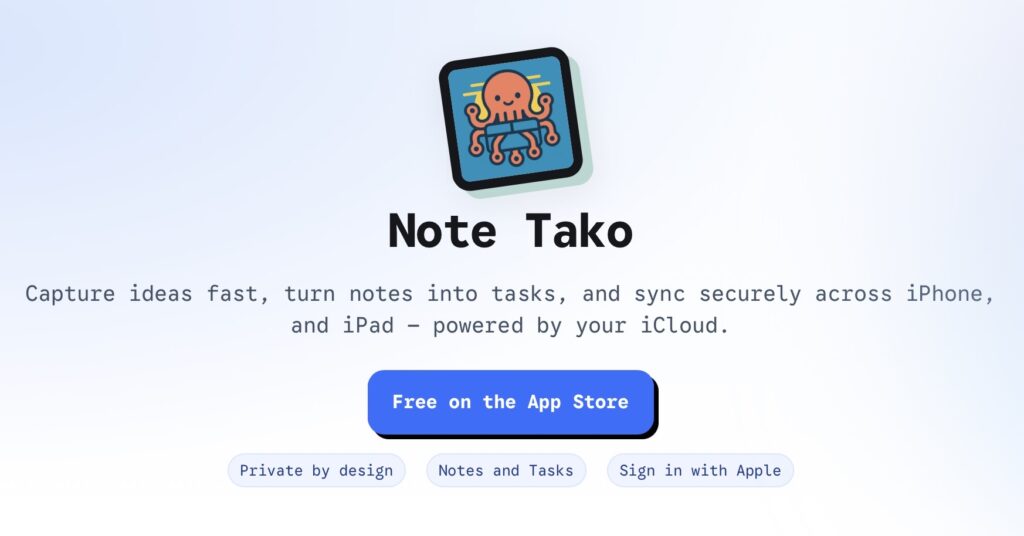
If Todoist and Zero are apps built for the masses, Note Tako is built for me. I translated at my best my current mental order and model in order to simply manage tasks and notes, plus the added benefit of the Fasting tracker. You may then ask why if the app is built for me, it’s on the AppStore?
That is purely a matter of personal satisfaction. After the effort of visualising the app, and building it, receiving that welcome to the AppStore email from Apple was quite a rush!
Having said that, the point of this “excercise” was the journey, not the destination. As I alluded in my last post about Vibe Coding, these new AI tools have opened up so many creative avenues in my head. Suddenly I have a way to translate in practice what up until recently was stuck in my head. It’s amazing what can be accomplished, even from someone that only has a very basic understanding of Swift. I had to learn pretty much every single Xcode error message, but who cares! It was fun and challenging and a new way of thinking. You suddenly have to learn a new language. No, not Swift itself. You need to learn the language of AI.
These services really start to perform well once you learn how to “talk to them”, and you quikcly realise you can’t simply use English (or whichever language you speak). You need to be efficient, direct and cristal clear in your language; funny enough all skills I’ve acquired over more than a decade in a business environment dominated by emails!
As I’ve alluded in my other post, no matter how big or small your idea is, I urge you to give Vibe Coding a try – it is already and it will continue to become transformative at a super fast rate. And you won’t believe how satisfying it can be until you try!
So what can you do with Note Tako?
At its core the app is a task management and note taking app. You see a simple list of all your tasks, which if you want to can aggregate in folders or Projects. The list is simple and compact and allows you quickly reschedule items or marked them as important. And when you mark something as important a new icon shows up in the top right corner, giving you immediate access to important tasks no matter how far in the future these may be (or even if they don’t have a due date). This was a major feature for me. I have a lot of tasks, but some are more important than others. With other apps I struggled in finding a way to properly keep track of those and not be surprised by them when they suddenly popped up as the next day item. So now they are front and centre!
Then, you can take long form notes, which I called Takos in the app. Why? No idea, just loved the name!
You can write as much as you like, assign them to the same project as tasks. But then you can also schedule them as Tasks of their own. This was something else that I wanted to improve. Sometimes the a simple task is not enough, I want to take longer notes, but also I want to be reminded to take action from those notes. So far I had to spread these across different apps, making it clunky. Now they are all in one and I’m loving it!
Finally, yes there is a fasting tracker. Yes I know it doesn’t really makes sense, or at least it doesn‘t match directly with the main spirit of the note taking, but once again, this app was built for myself and I wanted to combined two of my daily used apps into one single command centre.
Which also brings me to the price: the app is free. I didn’t go into this to become a millionaire (!), I did this as I had a hitch to scratch and I’m great at over-engineer solutions for seemigly simple “problems”! Plus, it wouldn’t feel good to charge for an app that really isn’t built for the masses.
But if you want to try it, please go ahead! I‘ve built in leveraging only Apple first party technology, leveraging CloudKit to be private, fast and reliable. I’ve been using it daily for the last month while completing the development and it’s been a blast!
Finally, now that the app is out, where do I go from here? Well, I do have few more features I want to try and incorporate, including a web version (which is proving quite a challenge!) and the opton to forward emails for them to become actionable Takos. But I wanted to draw a line with a series of basic, 1.0 features, to get over the line of the publishing, and then grow from there as I was feeling I was procrastinating that step trying to build too many features all at once!
As I said at the beginning of this post, it has been a wonderful journey, one that I think it’s only at the beginning and I can’t wait to see the next chapter!